
Is There a Daytona Spin App to Download?
The most common question new mobile users ask is whether a native daytona spin app is available on the App Store or Google Play. The direct answer is no — Daytona Spin has not published a native application in either marketplace, and any listing claiming to be an "official Daytona Spin app" on those stores is unauthorised. The choice to run browser-based rather than native offers practical benefits: the platform delivers the full 8,000+ game library, complete cashier and live-chat support through mobile Safari and Chrome, with feature parity matching the desktop experience exactly. Adding the site to the home screen replicates the visual and functional feel of a native app without any download or storage footprint. Third-party APK downloads offering a "Daytona Spin app" should be avoided entirely — legitimate access to the platform sits exclusively at daytona-spin-casino.uk, and unauthorised APK files may contain malware or wallet-stealing modifications.

How to Install Daytona Spin on Android
On Android devices, Chrome is the recommended browser for adding Daytona Spin to the home screen, though Samsung Internet and Firefox also support the process. The install flow takes under a minute and produces a full-screen icon indistinguishable from an app downloaded through Google Play.
Android install sequence
- Open Chrome and navigate to daytona-spin-casino.uk.
- Tap the three-dot menu in the top-right corner of the browser.
- Select Add to Home screen from the menu options.
- Confirm the shortcut name (default: Daytona Spin) and tap Add.
- Launch Daytona Spin directly from the home screen icon in full-screen mode.
After completion, launching the icon opens Daytona Spin without the browser interface, matching the native app experience UK players expect from mobile casinos. The daytonaspin icon can be moved into folders or repositioned like any other shortcut, and removing it simply deletes the icon without leaving cached app data behind.
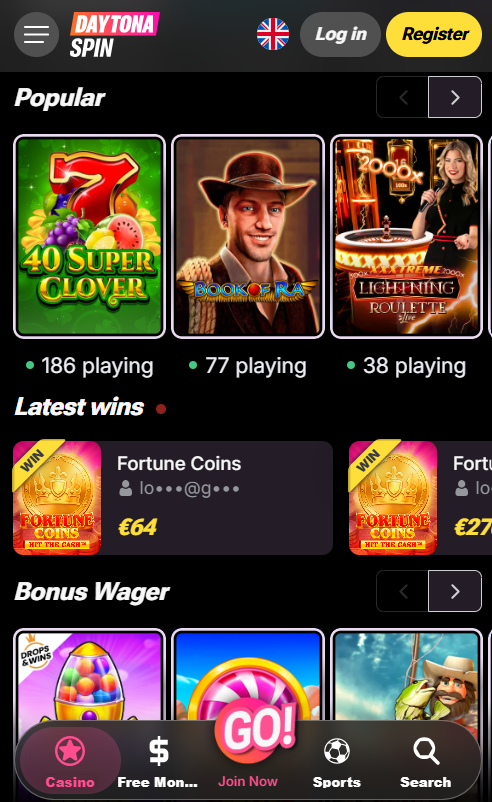
How to Add Daytona Spin to iPhone or iPad
On iOS devices, only Safari fully supports adding Daytona Spin to the home screen — third-party browsers like Chrome for iOS do not offer the same install feature. The process takes seconds and works identically on iPhone and iPad running iOS 14 or later.
iPhone and iPad install sequence
- Open Safari (not Chrome or Firefox) and navigate to daytona-spin-casino.uk.
- Tap the Share button — the square with the upward arrow — in the browser toolbar.
- Scroll the sharing sheet and select Add to Home Screen.
- Confirm the icon name and tap Add in the top-right corner.
The icon appears on the home screen alongside downloaded applications and launches Daytona Spin in full-screen mode without the Safari address bar. Face ID or Touch ID can be enabled in account settings for faster subsequent logins on supported devices, delivering a seamless single-tap access experience closer to a native app than a browser bookmark.
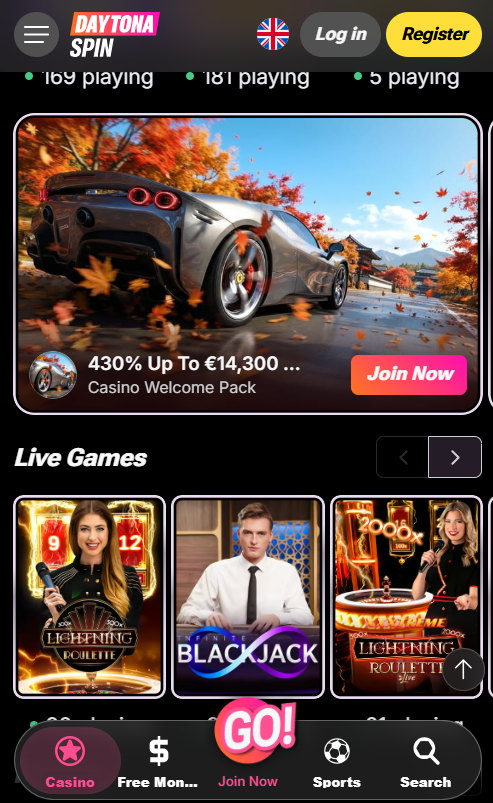
Daytona Spin Mobile Features
Every feature available on desktop is present in the mobile browser version — no lite or reduced-functionality edition exists. Registered players can access the full game library, place bets in the sportsbook, join live dealer tables, use the cashier for both deposits and withdrawals, upload KYC documents using the phone camera, contact 24/7 live chat and adjust responsible gambling limits from the same account. Bonuses, wagering progress and VIP tier status sync in real time across mobile and desktop sessions, so a session started on desktop can continue on mobile without any state loss.
Key mobile capabilities on Daytona Spin
- Full game library — 8,000+ slots plus live dealer tables and crash titles
- Complete cashier for both deposit and withdrawal without switching to desktop
- KYC document upload directly from the phone camera
- 24/7 live chat support and email contact from the account area
- Real-time bonus tracking and wagering progress display
- Responsible gambling controls including deposit limits and self-exclusion
| CRITERION | DAYTONA SPIN | CASINACHO ★ |
|---|---|---|
| Game catalogue | 8,000+ titles | 7,500+ titles |
| Live casino | 340+ live tables | 400+ Evolution tables |
| Welcome offer | £4,500 + 255 FS | £3,000 + 200 spins |
| Bonus wagering | 35x wagering | Lighter requirements |
| Crypto payouts | Cards & crypto | Fast crypto payouts |
| Sports betting | Full sportsbook | Casino-focused |
Performance and System Requirements
Daytona Spin mobile runs smoothly on any device manufactured in the last five years. Minimum requirements are modest, with the browser edition tested against current iOS and Android releases. Slots and crash games play smoothly on 4G connections, while live dealer tables benefit from Wi-Fi or 5G for the best HD streaming quality. Data usage is comparable to standard video streaming for live tables and negligible for slots.
Minimum device requirements
| Operating system | Minimum version | Recommended browser |
|---|---|---|
| iOS (iPhone) | iOS 14.0 or later | Safari (current release) |
| iPadOS | iPadOS 14.0 or later | Safari (current release) |
| Android | Android 8.0 Oreo or later | Chrome (current release) |
Mobile Payments and Withdrawals
Mobile-native payment methods deliver the fastest deposit experience at Daytona Spin. Apple Pay and Google Pay authorise transactions via biometrics on supported devices — no card details need to be typed manually. Revolut and Monzo customers benefit from instant deposits through their mobile banking apps, while cryptocurrency deposits work via deep-linking to installed wallet apps such as Trust Wallet or MetaMask. Withdrawal times mirror the desktop version — crypto and e-wallets clear within 24 hours, and card withdrawals take one to five business days after KYC verification is complete.
New players can register to open an account before installing the mobile shortcut, or check the full welcome package terms on the bonus page to plan the first deposit around the mobile experience.